How to Add Music to Video in CapCut 2026
Add music to CapCut videos easily. Follow this complete guide to add background music, sound effects, and voiceovers without copyright issues.
How to Add Music to Video in CapCut
Music plays an important role in making videos more engaging, emotional, and professional. If you are searching for how to add music to video in CapCut, this complete guide will help you step by step. CapCut offers simple tools and a user-friendly interface that allows creators to add music easily on both mobile and desktop.
Whether you create videos for YouTube, TikTok, Instagram Reels, or vlogs, CapCut makes the process smooth and beginner-friendly.
Advantages of Using Music in CapCut Videos
Adding music to your videos improves quality and viewer experience. Below are some key benefits:
Viewer Engagement
Music helps grab attention quickly and keeps viewers watching longer. CapCut’s music library includes trending and high-beat tracks that can increase engagement on social media platforms.
Emotional Impact
Music adds emotion to your content. Soft and slow tunes can make moments feel emotional, while fast beats add excitement.
Enhances Storytelling
Music improves the storytelling flow of your videos. You can sync music beats with clips to make your story more powerful and engaging.
Professional Content
Using background music, smooth fades, and clear audio gives your videos a polished and professional look.
Brand Recognition
Using similar music styles in your videos helps build a unique brand identity. Viewers can recognize your content instantly through sound.
Avoid Copyright Issues
CapCut provides royalty-free music tracks that help avoid copyright problems. Its built-in copyright checker ensures safe usage on platforms like YouTube.
Types of Music You Can Use in CapCut Videos
Background Music
Perfect for tutorials, vlogs, and informational videos. CapCut offers many background tracks in different styles.
Energetic Tracks
Best for dance videos, travel vlogs, and action clips. EDM, pop, and hip-hop tracks add excitement.
Instrumental Beats
Clean and simple music ideal for ads and creative edits. Jazz and instrumental beats are widely used.
Sound Effects
Sound effects make videos more entertaining. They enhance transitions, funny moments, and highlights.
Soft and Relaxing Music
Piano and calm tracks are great for emotional or relaxing content.
Voiceovers
Voiceovers are useful for tutorials and storytelling. CapCut allows easy voice recording and editing.
How to Add Music to videos in CapCut (Step-by-Step)
You can use the mobile app and desktop app of CapCut Pro to add music to your videos. Here are the steps for each:
Adding Music with the CapCut pro
Step1: Download CapCut pro on your mobile phone.
Step2: Start a new project by selecting a video from your phone gallery.
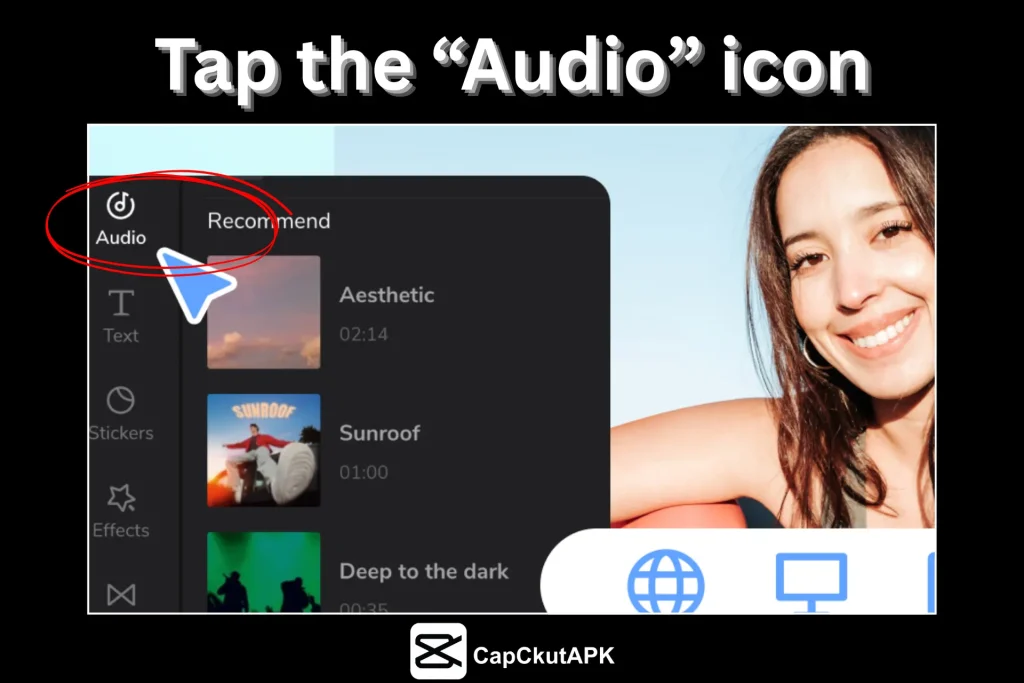
Step3: Tap the “Audio” icon to explore sound options.
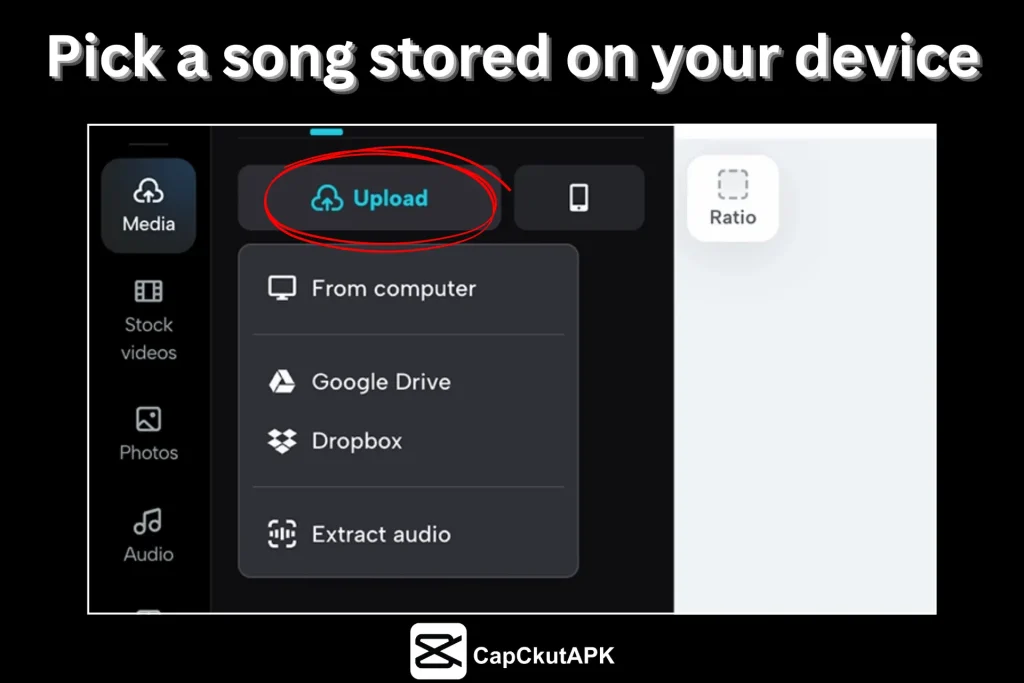
Step4: Browse CapCut’s music collection or pick a song stored on your device.
Step5: Choose the song you like best.
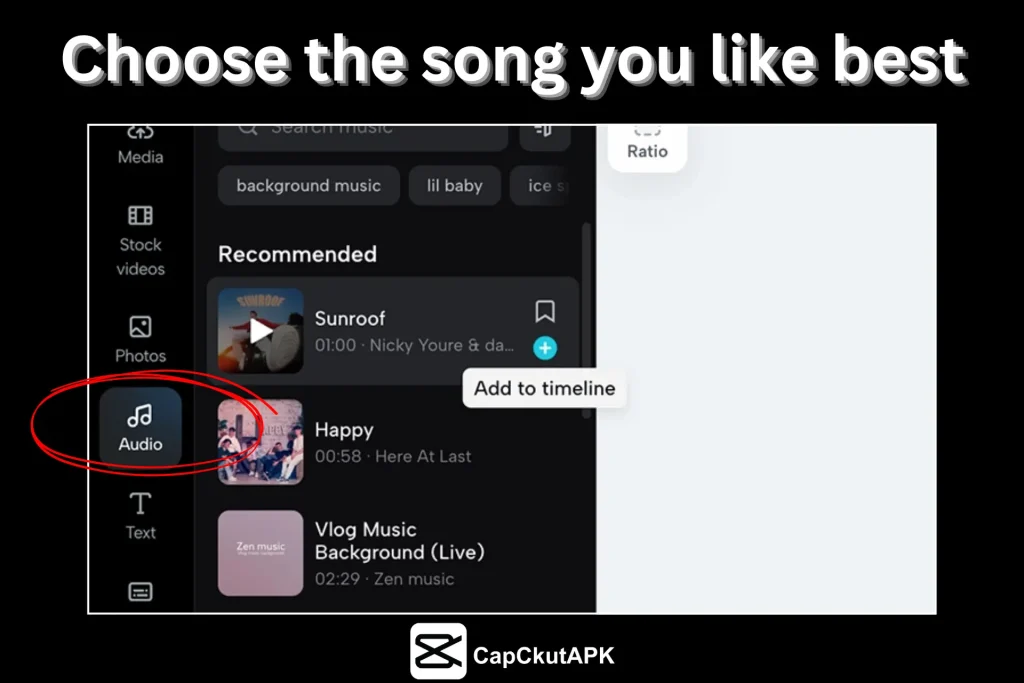
Step6: Insert the song into your video project.
Step7: Adjust the music by trimming, changing volume, or adding fade effects.
Step8: Export and save your video.
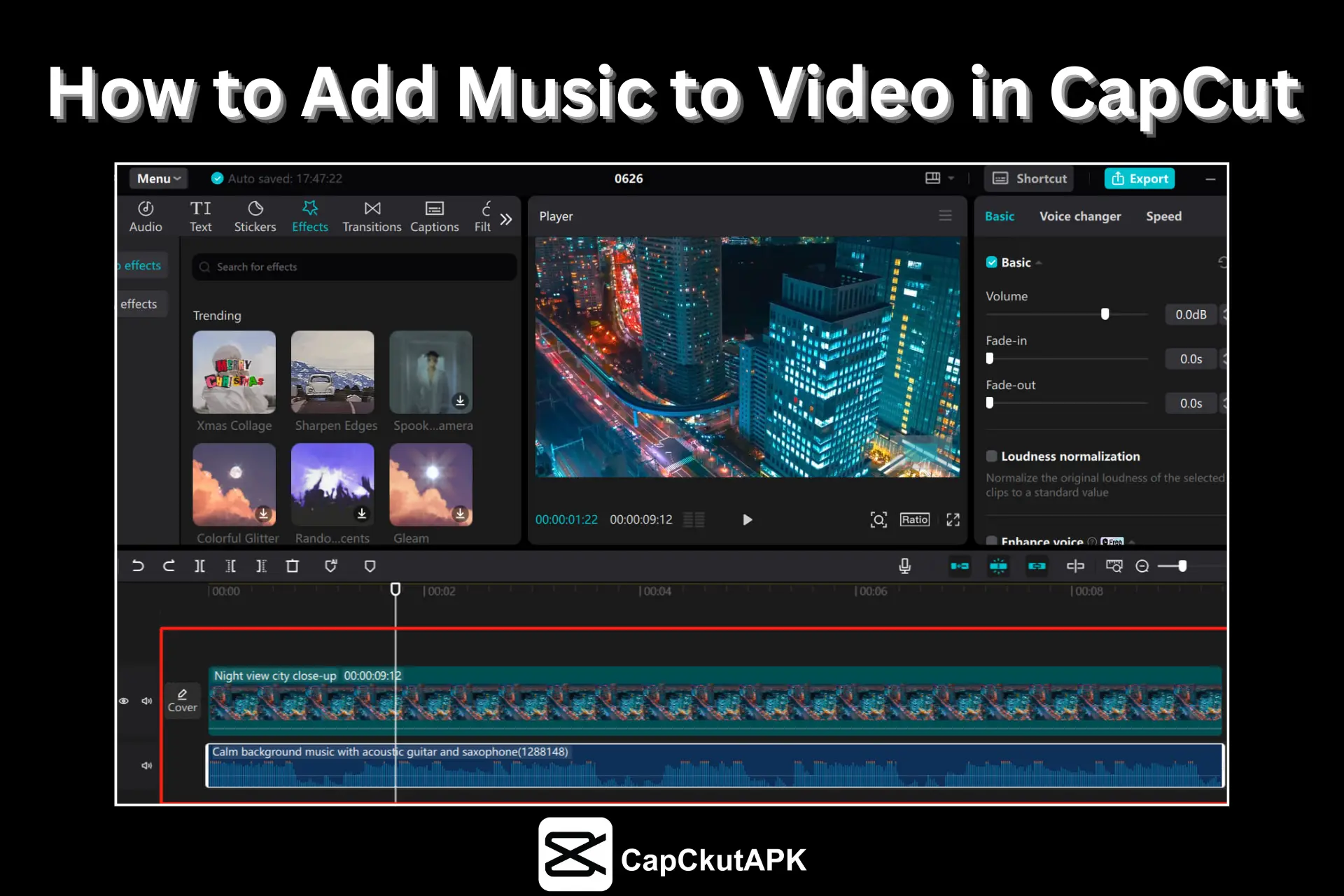
Adding Music with the CapCut Desktop App
Install CapCut on your Windows PC or Mac and launch the application.
Choose a video from your gallery and add it to a new project.
Click on the “Audio” tab to access the music library.
Select a song or upload your own music file.
Drag and place the music onto the video timeline.
Adjust the audio by trimming it, changing the volume, or adding fade effects.
Finally, export and save your edited video.
Pro Tips for Adding Music in CapCut
Keep background music volume low when using voiceovers
Use fade-in and fade-out effects for smooth audio transitions
Avoid copyrighted music for monetized videos
Explore CapCut’s trending music library
Use popular music tracks to boost engagement
Conclusion
Music is one of the simplest and most effective ways to enhance the quality and engagement of your CapCut videos. Adding the right background music gives your video an emotional touch and a professional appearance. CapCut’s built-in music library offers a wide variety of tracks to match every video style and mood. With its user-friendly interface and powerful audio tools, you can easily add, edit, and customize music in your videos. Make sure to select the perfect music track to boost your video’s impact and overall appeal.